What this tool does
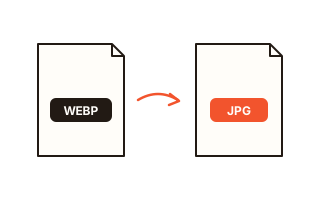
Use it when a downloaded picture is WebP or AVIF and will not open, when a form accepts only JPG, or when you want lighter WebP files for a website. It reads JPG, PNG, WebP, AVIF, GIF and BMP and writes JPG, PNG, WebP or AVIF.
The real format is detected from the signature at the start of the file, not from its name, so files with the wrong extension still convert correctly. The list shows what changed, for example “PNG → JPG”.
How to use it
- Drop the pictures onto the box or click to choose them. Different formats can go in together.
- Click the format to convert to: JPG, PNG, WebP or AVIF.
- For JPG choose the quality and the color behind transparent areas; for PNG choose lossless or reduced to 256 colors.
- Check the results and save each file, or all of them as one ZIP.
Which format to choose
JPG is the photo format everything can open, but it cannot store transparency. For files you submit to schools, employers or government sites, JPG is the safe choice.
PNG is lossless, so it suits screenshots with text, logos and graphics with a transparent background. Converting a photo to PNG keeps every pixel but can make the file several times larger.
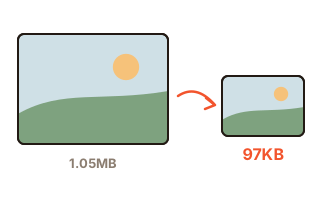
WebP and AVIF are modern formats that are much smaller than JPG at the same quality and keep transparency. They are great for websites and blogs, though older programs may not open them.
Transparent backgrounds and JPG
JPG has no transparency, so transparent areas must be filled with something. Some converters silently turn them black; this one uses white by default and lets you pick any color. Soft shadows and anti-aliased edges blend smoothly into the color you choose.
To keep the transparency, convert to PNG, WebP or AVIF instead.
Animated GIFs and iPhone HEIC
An animated GIF or WebP becomes a still picture of its first frame, and the list marks it “first frame only”.
iPhone HEIC photos convert only where the browser itself can open them: Safari can, Chrome and Edge cannot.
If your browser has no AVIF encoder, the first AVIF conversion downloads one of about 3.4 MB from this site, once.
Your data
Pictures are opened and saved again only inside this browser and are never sent to a server. The chosen format, quality and similar settings are remembered in this browser; the list of pictures is not kept after you close the page.
Questions and answers
A WebP file won't open in Paint or an older app.
Add it here and click JPG or PNG to get a file that opens everywhere. Use JPG for photos and PNG for graphics with text or a transparent background.
Does converting PNG to JPG lose quality?
JPG is lossy, so a little changes, but at quality 90 or higher it is very hard to see. Screenshots full of text stay crisper as PNG.
What happens to photo info (EXIF)?
By default the date and camera model stay and only the GPS location is removed. You can also remove everything or keep it all. AVIF files are saved without photo info.
How many files can I convert at once?
There is no limit. Nothing is uploaded and the files are converted one after another on this device, so you can add dozens or hundreds and save them as one ZIP.
What is AVIF, and is it safe to use?
AVIF is a modern format that is often about half the size of JPG at the same quality. Most current browsers and phones open it, but if the recipient uses older software, JPG is safer.